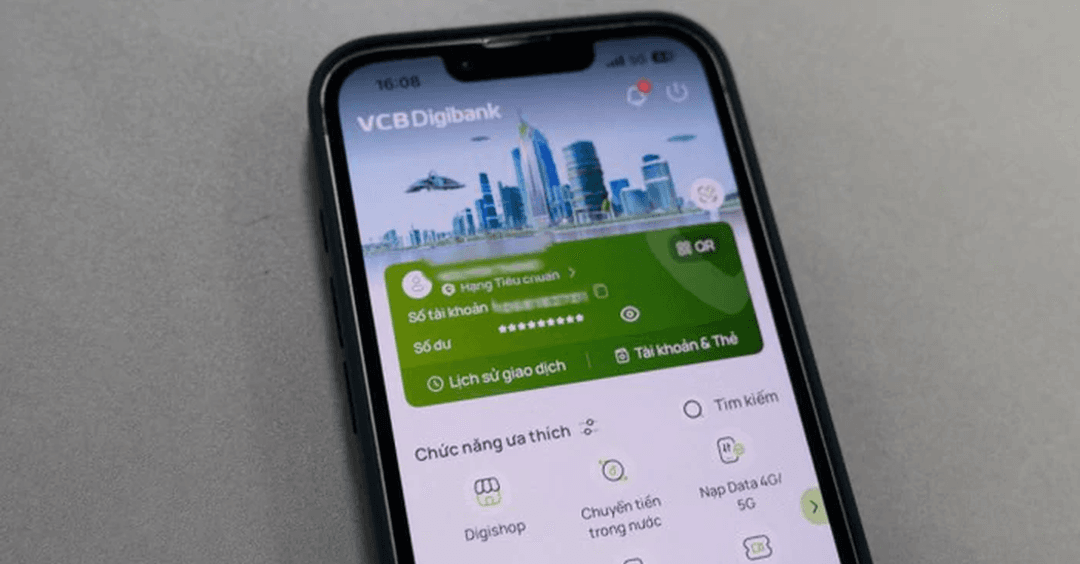
Vietcombank, VietinBank, BIDV, Agribank and many other banks have warned about two attack toolkits DarkSword and Coruna. They can infiltrate iPhones running old iOS just by opening a webpage once, then steal passwords, messages and photos.
On 24/10/2026, VietinBank sent a notice recommending iPhone customers update iOS. The notice also mentioned a variant named P7 DarkSword. On 29/10/2026, ACB said it had recorded a malware campaign in Vietnam, including DarkSword. Vietcombank, BIDV, Agribank, ABBank and NCB... then issued similar warnings.
Earlier, BIDV also issued a warning from 20/11/2026, temporarily restricting login to BIDV SmartBanking app on devices running low iOS that do not meet security requirements.
How DarkSword and Coruna attack iPhone?
Both are exploit kits, meaning a set of pre-written code to exploit unpatched security vulnerabilities on iOS.
On 03/03/2026, Google's GTIG threat intelligence group and security firm iVerify disclosed Coruna. The toolkit includes 5 complete attack chains with a total of 23 vulnerabilities, targeting iPhones running iOS 13.0 to 17.2.1.
On 18/03/2026, Google, iVerify and Lookout continued to disclose DarkSword. The toolkit chains 6 vulnerabilities to take control of iPhones running iOS 18.4 to 18.7. It has been used since at least November 2025. An iVerify analysis narrowed the scope to iOS 18.4 to 18.6.2.
The danger is users do not need to click strange links or install apps. Just opening a malicious website via Safari can compromise the iPhone, even if it is a legitimate website taken over by hackers. The code identifies the device model and iOS version, then selects the appropriate attack method.
Once inside, DarkSword can silently steal passwords and authentication data stored in Keychain, Notes content, Photos, contacts, messages, call history and crypto wallet information. Therefore, screenshots containing passwords or wallet recovery phrases become a major weakness.
Initially, these tools were used by a spy group suspected of ties to Russia to attack targets in Ukraine. Then they spread to organized cybercrime groups. In scale, iVerify estimates up to 270 million iPhones could be affected, while Lookout estimates about 15% of iOS devices in use.
Apple advises all iPhone users
All vulnerabilities exploited by both toolkits have been patched by Apple. iOS 26.3.1 and iOS 18.7.6 are the first versions to patch all 6 DarkSword vulnerabilities.
On 11/03/2026, Apple released iOS 16.7.15 for iPhone 8, iPhone 8 Plus, iPhone X. Same day, Apple released iOS 15.8.7 for iPhone 6s, 6s Plus, 7, 7 Plus and first-generation iPhone SE, to patch Coruna-related vulnerabilities.
On a support page dated 14/04/2026, Apple recommended updating to the latest iOS version and enabling automatic updates. Devices still on iOS 13 or 14 should upgrade to at least iOS 15. If unable to update, users can enable Lockdown Mode if supported.
On personal Facebook, expert Ngô Minh Hiếu (Anti-Fraud Project) made a comparison: bank systems can be well protected, but if the phone used to log in and transfer money has vulnerabilities hackers know how to exploit, risk remains. Banking apps running on old OS only show compatibility, not safety.
First, update iOS to the latest supported version via Settings → General → Software Update. Enable auto-update and update banking apps via App Store (or Google Play for Android).
Phones no longer receiving security patches should not be used for financial transactions. Do not store passwords or wallet recovery phrases in Notes or screenshots.
If suspecting malware infection, disconnect network and stop transactions. Then call bank hotline to block services, e.g. Vietcombank 1900 54 54 13, BIDV 1900 9247, ABBank 1800 1159. Use another safe device to change passwords, log out sessions and enable two-factor authentication. If money already lost, go to nearest transaction point and report to police.
Important note: only update from phone Settings. Absolutely do not update via links from strangers or people claiming to be bank staff, as this is how scammers often exploit.